[i=s] 本帖最后由 WT_0213 于 2025-10-26 11:47 编辑 [/i]
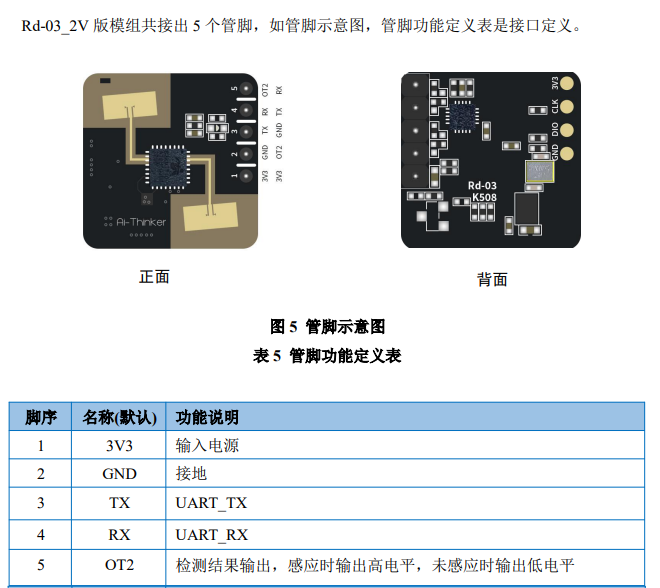
考虑到长时间伏案工作,普通的提醒工具只能通过时间提示。如果已经离开办公桌也检测不到。之前申请的Rd-03V2刚好满足,所以就通过Rd-03V2实现感知人体存在。由于主要考虑PC提醒所以这次上位机没有使用单片机,而是使用 USB转串口连接Rd-03V2,使用上报模式来实现较为细致的行为检测。
之间做的都是方方正正的,这次想着美化一下。弄了个机械键盘按键,上面放个键帽。凑合看的吧。还想着加个灯光啥的,手上的led灯比较大。需要把模型增大。就放弃了。
为了演示,视频中示例程序时间改成了15秒,正常设置的是 30 *60 三十分钟 。
石矶娘娘:尔等凡人,久坐如顽石化形~!快起来动动吧。
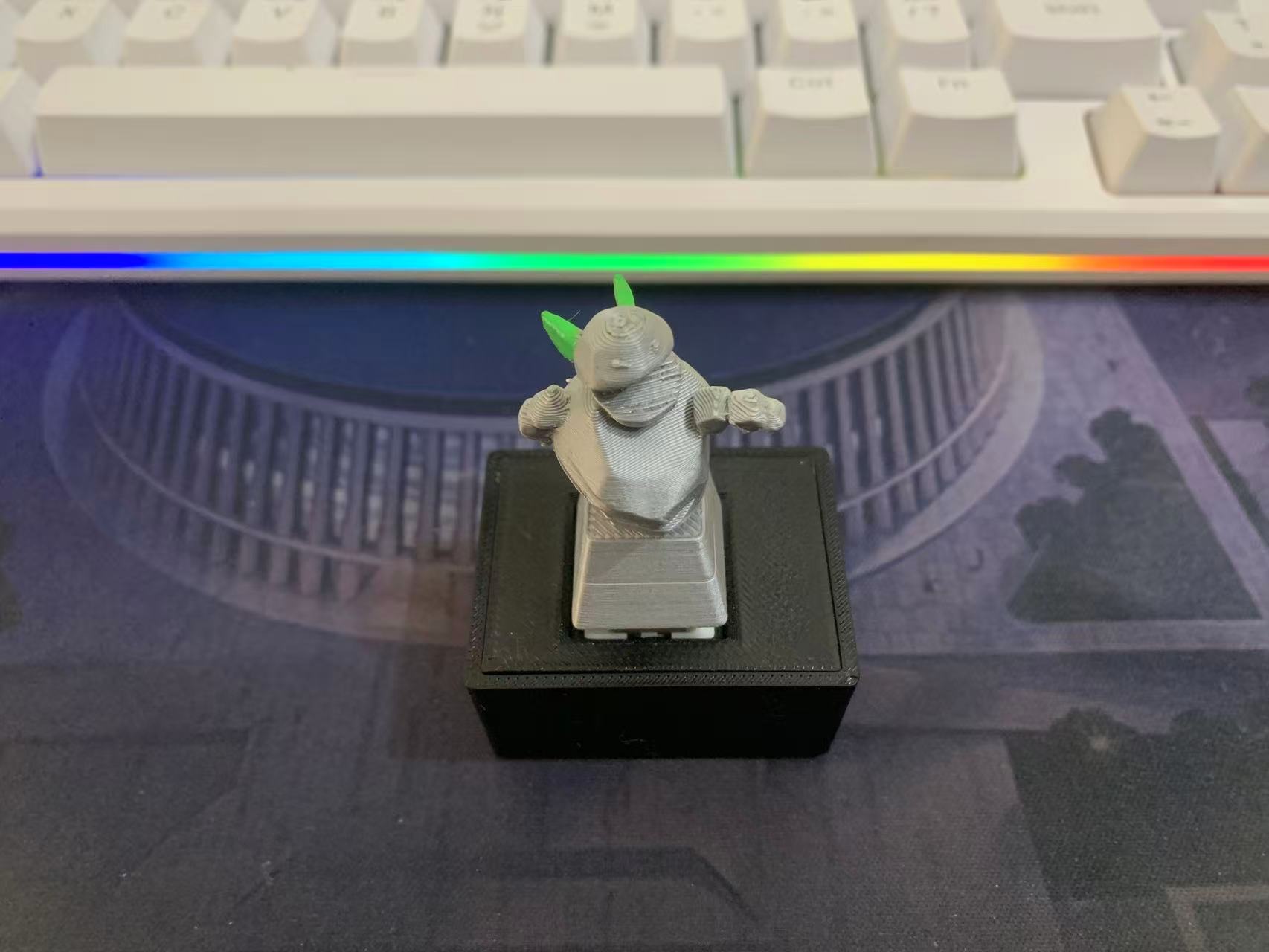
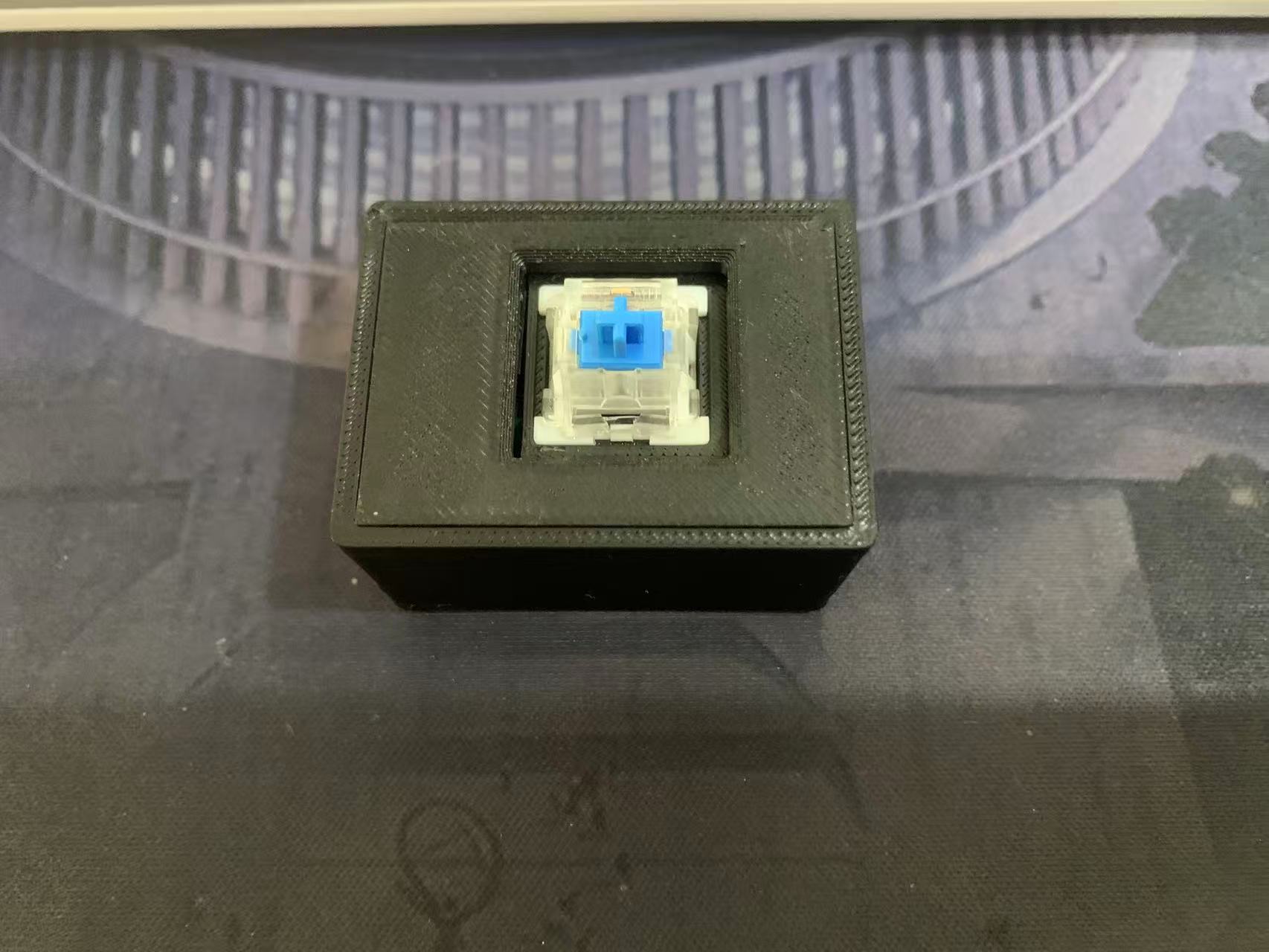
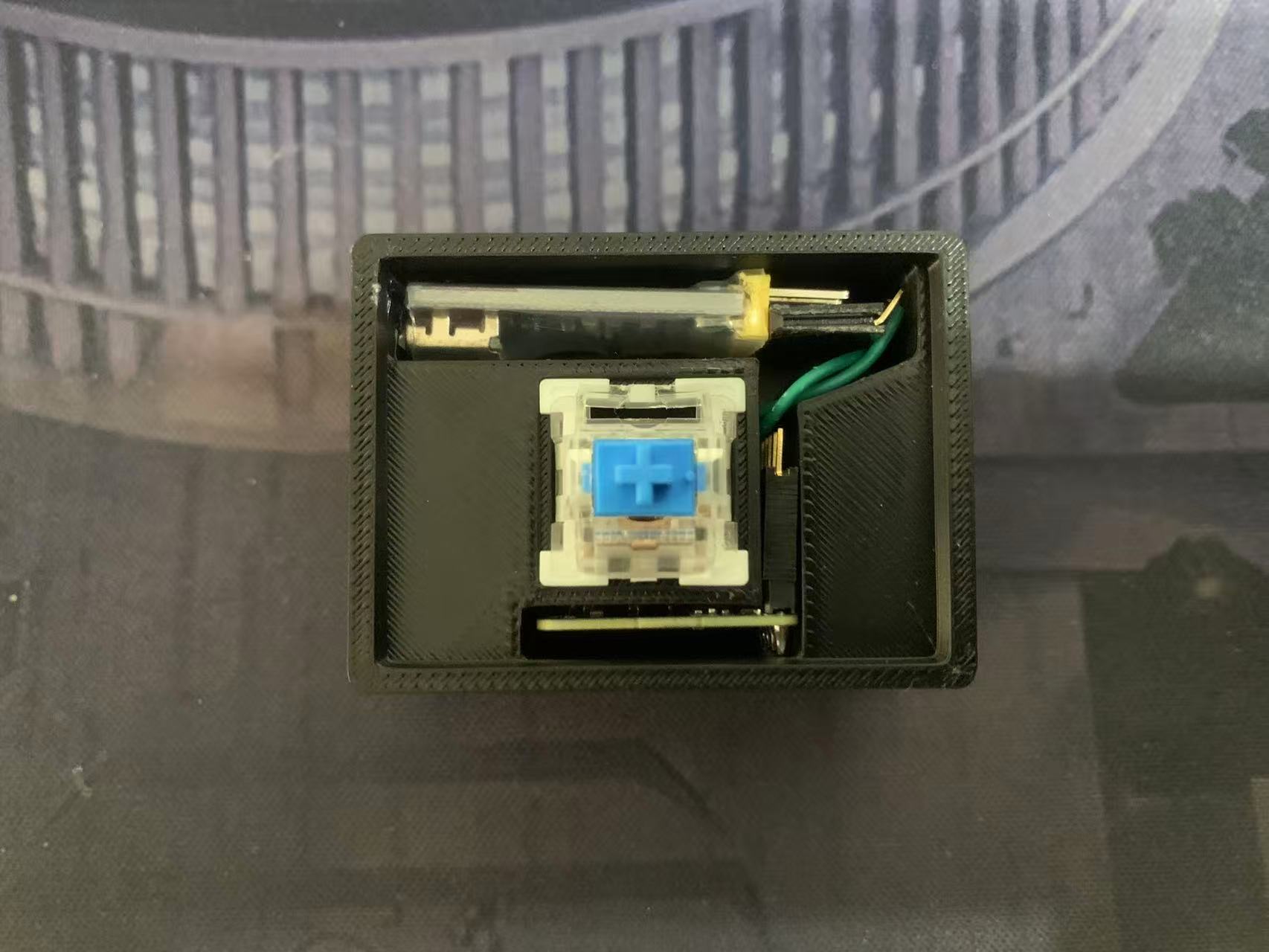
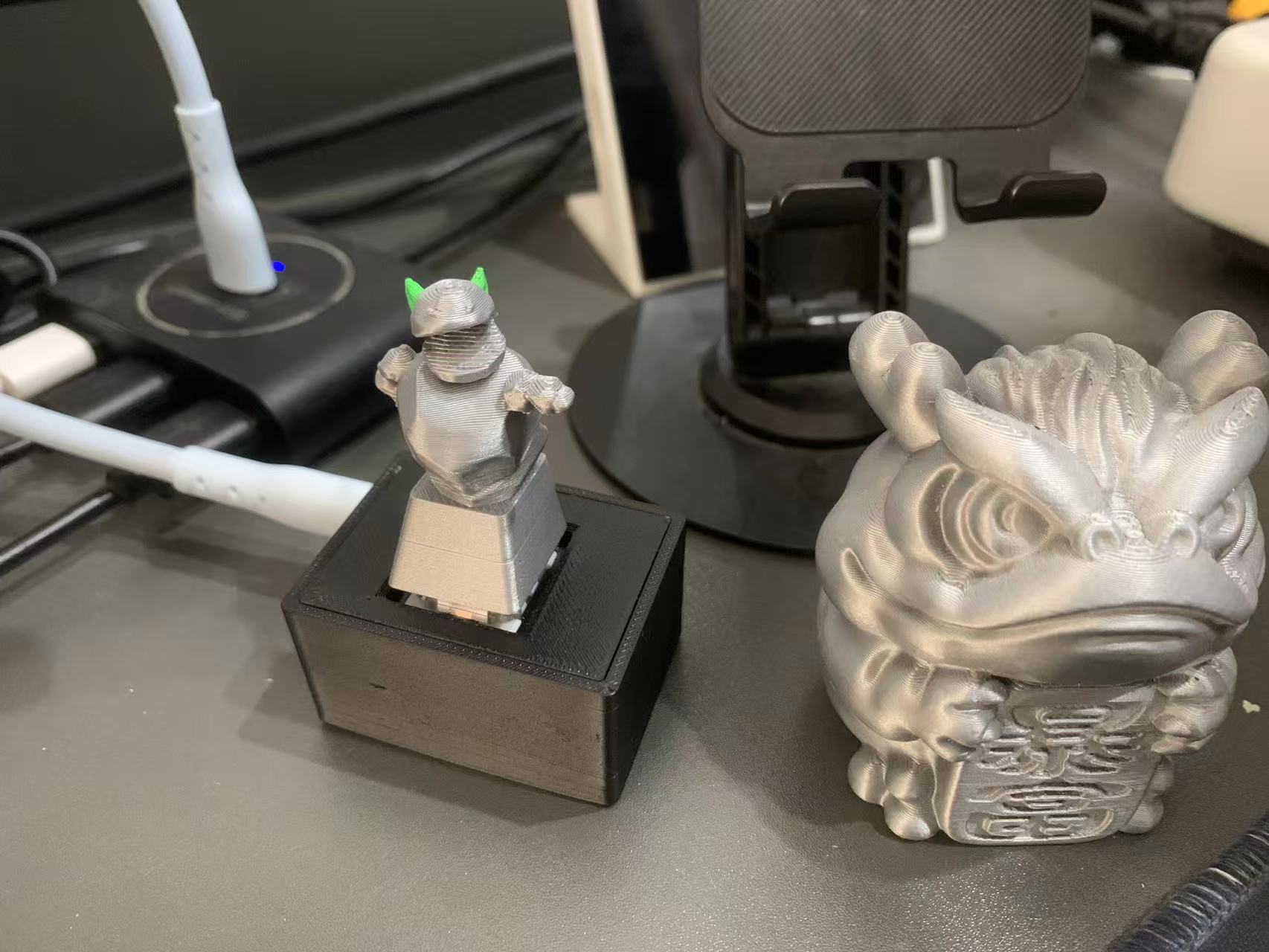
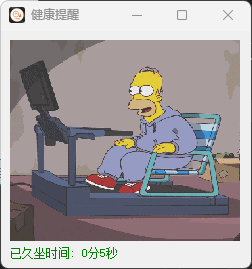 这次小DIY 主要用到 RD03_V2 和 一个串口
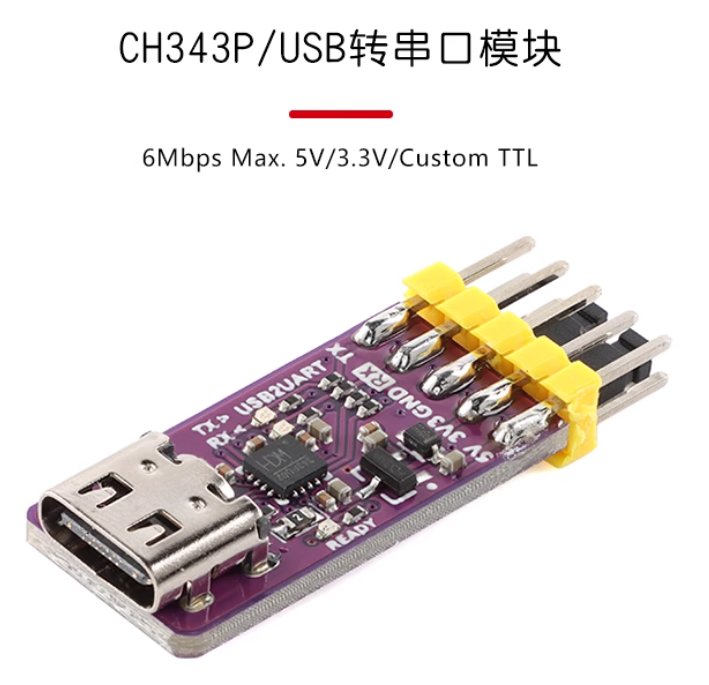
PC 端程序:
import sys
import traceback

# 定义全局异常处理函数
def global_exception_handler(exc_type, exc_value, exc_tb):
    # 如果是系统退出的异常,可以忽略
    if exc_type == SystemExit:
        sys.__excepthook__(exc_type, exc_value, exc_tb)
    else:
        # 打印异常信息
        print(f"未处理的异常: {exc_type.__name__}: {exc_value}")
        # 打印详细的堆栈信息
        traceback.print_tb(exc_tb)

# 设置全局异常捕获
sys.excepthook = global_exception_handler
import ctypes
import sys
import time
import binascii
import threading
import serial
import platform
import serial.tools.list_ports
from PyQt5.QtWidgets import QApplication, QSystemTrayIcon, QMainWindow, QVBoxLayout, QMenu, QAction, QWidget, QLabel, QPushButton, QTextEdit, QDesktopWidget, QFileDialog, QComboBox, QMessageBox
from PyQt5.QtGui import QIcon, QMovie
from PyQt5.QtCore import Qt, QThread, pyqtSignal, QTimer
from PyQt5.QtNetwork import QLocalServer, QLocalSocket
from watchdog.observers import Observer
from watchdog.events import FileSystemEventHandler
import os

import tkinter as tk
from tkinter import messagebox

class SerialMonitorThread(QThread):

    request_check_devices = pyqtSignal()
    sensor_person_present = pyqtSignal(bool)

    def __init__(self, port_name, baudrate=115200):
        super().__init__()
        self.port_name = port_name
        self.baudrate = baudrate
        self.serial_connection = None
        self.is_running = True
        self.buffer = b''
        self.count = 0
        self.open_cmd = bytearray([0xfd, 0xfc, 0xfb, 0xfa, 0x04, 0x00, 0xff, 0x00, 0x01, 0x00, 0x04, 0x03, 0x02, 0x01])
        self.report = bytearray([0xFD, 0xFC, 0xFB, 0xFA, 0x08, 0x00, 0x12, 0x00, 0x00, 0x00, 0x04, 0x00, 0x00, 0x00, 0x04, 0x03, 0x02, 0x01])
        self.save_confif = bytearray([0xFD, 0xFC, 0xFB, 0xFA, 0x02, 0x00, 0xFD, 0x00, 0x04, 0x03, 0x02, 0x01])
        self.close_cmd = bytearray([0xFD, 0xFC, 0xFB, 0xFA, 0x02, 0x00, 0xFE, 0x00, 0x04, 0x03, 0x02, 0x01])

    def run(self):
        while self.is_running:
            try:
                if not self.serial_connection or not self.serial_connection.is_open:
                    self.serial_connection = serial.Serial(self.port_name, baudrate=self.baudrate, timeout=0.05)
                    print(f"已连接: {self.port_name} ")
                    print(f"波特率: {self.baudrate} ")
                    print(f"已连接: {self.port_name} ")
                    self.serial_connection.write(self.open_cmd)
                    self.serial_connection.flush()
                    self.serial_connection.write(self.report)
                    self.serial_connection.flush()
                    self.serial_connection.write(self.save_confif)
                    self.serial_connection.flush()
                    self.serial_connection.write(self.close_cmd)
                    self.serial_connection.flush()

                if self.serial_connection.in_waiting > 0:
                    data = self.serial_connection.read(self.serial_connection.in_waiting)
                    self.process_data(data)
                else:
                    QThread.msleep(10)
            except Exception as e:
                print(f"错误: {str(e)}")
                if self.serial_connection:
                    self.serial_connection.close()
                    self.serial_connection = None
                self.request_check_devices.emit()
                QThread.msleep(1000)  # Wait before retrying

    def process_data(self, data):
        try:
            self.buffer += data
            start = self.buffer.find(b"\xf4\xf3\xf2\xf1")
            end = self.buffer.find(b"\xf8\xf7\xf6\xf5")
            print("帧头:", start, end)
            if start  != -1 and end !=-1:
                real_data = self.buffer[start: end + len(b"\xf8\xf7\xf6\xf5") ]

                frame_header = real_data[:4]
                # print(f"检测到人体感应数据: {hex_data}")
                print("帧头:", frame_header)
                # 帧尾 F8 F7 F6 F5
                frame_footer = real_data[-4:]
                print("帧尾:", frame_footer)
                # 数据长度 2字节
                data_length = int.from_bytes(real_data[4:6], byteorder='little')  # 假设数据长度是小端
                print("数据长度:", data_length)

                # 检测结果 1字节
                detection_result = real_data[6]
                print("检测结果:", detection_result)

                if detection_result == 0:
                    self.count += 1
                else:
                    self.count = 0

                # 目标距离 2字节
                target_distance = int.from_bytes(real_data[7:9], byteorder='little')
                print("目标距离:", target_distance)

                # 各距离门能量(128字节)
                distance_energy = real_data[9:137]  # 128字节的能量数据
                print("各距离门能量(前16字节示例):", distance_energy[:16])
                if detection_result == 1:
                    self.sensor_person_present.emit(True)
                else:
                    if self.count > 3:
                        self.sensor_person_present.emit(False)
                self.buffer = b''
        except Exception as e:
            print(f"{e}")
            self.buffer = b''

    def stop(self):
        self.is_running = False


class SerialDeviceHandler(FileSystemEventHandler):
    def __init__(self, main_window):
        super().__init__()
        self.main_window = main_window

    def on_created(self, event):
        if event.is_directory:
            return
        if "tty" in event.src_path.lower():
            self.main_window.check_serial_devices()


class SerialDeviceMonitorThread(QThread):
    request_check_devices = pyqtSignal()

    def __init__(self, interval=3000):
        super().__init__()
        self.interval = interval
        self.is_running = True

    def run(self):
        while self.is_running:
            self.request_check_devices.emit()
            QThread.msleep(self.interval)

    def stop(self):
        self.is_running = False


class HealthReminderApp(QMainWindow):

    time_update_signal = pyqtSignal(int)  # 用于更新时间标签的信号

    def __init__(self):
        super().__init__()

        self.mVIdPIds = ["VID:1A86/PID:7523", "VID:1A86/PID:55D3", "VID:1A86/PID:55E9"]

        # 设置窗口置顶
        self.setWindowFlags(self.windowFlags() | Qt.WindowStaysOnTopHint)

        # 获取屏幕尺寸
        screen_geometry = QApplication.desktop().availableGeometry()

        # 设置窗口位置为右下角
        offset_x = 50
        offset_y = 50
        window_width = 250
        window_height = 230
        self.setGeometry(screen_geometry.width() - window_width - offset_x, screen_geometry.height() - window_height - offset_y, window_width, window_height)

        # 设置应用窗口
        self.setWindowTitle('健康提醒')
        self.icon = QIcon(self.resource_path("icon.ico"))
        self.setWindowIcon(self.icon)
        self.tray = QSystemTrayIcon()
        self.tray.setIcon(self.icon)
        self.tray.setVisible(True)

        menu = QMenu()
        show_action = QAction("显示窗口", menu)
        config_action = QAction("设置", menu)
        quit_action = QAction("退出程序", menu)
        # 添加分隔线
        menu.addAction(show_action)
        menu.addSeparator()
        menu.addAction(quit_action)

        show_action.triggered.connect(self.show_window)
        quit_action.triggered.connect(self.exit_app)
        self.tray.setContextMenu(menu)

        self.tray.activated.connect(self.on_tray_activated)

        self.central_widget = QWidget()
        self.setCentralWidget(self.central_widget)

        self.layout = QVBoxLayout()
        self.central_widget.setLayout(self.layout)

         # 创建显示GIF的标签
        self.movieLabel = QLabel(self)
        self.movieLabel.setAlignment(Qt.AlignCenter)
        self.movieLabel.setFixedSize(230, 201)
        self.layout.addWidget(self.movieLabel)

        # 加载GIF文件
        self.movie = QMovie(self.resource_path('sport.gif'))
        # 检查动画是否有效
        if self.movie.isValid():
            # 设置动画到标签
            self.movieLabel.setMovie(self.movie)

            # 关键设置:使动画充满标签
            self.movieLabel.setScaledContents(True)

            # 或者使用setScaledSize精确控制
            # self.movie.setScaledSize(self.movieLabel.size())

            # 开始播放动画
            self.movie.start()
        else:
            self.movieLabel.setText("动画文件加载失败")

        # Create label to display elapsed time
        self.time_label = QLabel("已久坐时间: 0秒", self)
        self.time_label.setFixedWidth(200)  # 设置固定宽度,防止文本被截断
        # self.time_label.setAlignment(Qt.AlignCenter)
        # self.time_label.setStyleSheet("font-size: 16px;")
        # self.time_label.setFixedSize(200, 50)
        # self.time_label.move(100, 10)
        self.layout.addWidget(self.time_label)

        # 设置久坐提醒时长
        self.reminder_interval = 30 * 60   # 默认30分钟
        self.timer = None
        self.is_person_present = True
        self.elapsed_time = 0  # 累计时间
        self.timer_running = True
        self.monitor_sensor_runing = True

        # 启动检测线程
        self.sensor_thread = threading.Thread(target=self.monitor_sensor)
        self.sensor_thread.start()

        # 启动定时器线程
        self.timer_thread = threading.Thread(target=self.start_timer)
        self.timer_thread.start()

        self.device_monitor_thread = None
        self.serial_thread = None

        # 连接信号到更新方法
        self.time_update_signal.connect(self.update_time_label)

        self.start_serial_device_monitor()

    def resource_path(self, relative_path):
        if hasattr(sys, "_MEIPASS"):
            return os.path.join(sys._MEIPASS, relative_path)
        return os.path.join(os.path.abspath("."), relative_path)


    def show_window(self):
        print("show_window")
        self.show()
        self.raise_()
        self.activateWindow()

    def exit_app(self):
        self.tray.hide()
        if self.serial_thread:
            self.serial_thread.stop()
            self.serial_thread.wait()
        if self.device_monitor_thread:
            self.device_monitor_thread.stop()
            self.device_monitor_thread.wait()
        if self.timer_thread:
            self.stop_timer()
        if self.sensor_thread:
            self.stop_monitor_sensor()
        QApplication.quit()

    def on_tray_activated(self, reason):
        if reason == QSystemTrayIcon.DoubleClick:
            print(f"on_tray_activated")
            self.show_window()


    def start_timer(self):
        while self.timer_running:
            if self.is_person_present:
                self.elapsed_time += 1
                if self.elapsed_time >= self.reminder_interval:
                    self.safe_show_alert("提示", f"该活动一下,站起来走动走动吧!")
                    self.elapsed_time = 0  # 重置计时器
                self.time_update_signal.emit(self.elapsed_time)  # 发射信号来更新时间标签
            time.sleep(1)

    def stop_timer(self):
        self.timer_running = False

    def update_time_label(self, elapsed_time):
        # 计算已久坐时间的分钟和秒数
        minutes = elapsed_time // 60
        seconds = elapsed_time % 60
        # 计算当前百分比
        percentage = (elapsed_time / self.reminder_interval) * 100

        # 根据百分比调整文字颜色
        if percentage >= 90:
            color = "red"  # 红色
        elif percentage >= 80:
            color = "orange"  # 橙色
        else:
            color = "green"  # 绿色

        if self.is_person_present:
            # 更新标签内容和颜色
            self.time_label.setText(f"已久坐时间: {minutes}分{seconds}秒")
            self.time_label.setStyleSheet(f"color: {color};")
        else:
            self.time_label.setText(f"非常棒,运动一下吧。")


    def start_serial_device_monitor(self):
        if self.device_monitor_thread:
            self.device_monitor_thread.stop()
            self.device_monitor_thread.wait()
        self.device_monitor_thread = SerialDeviceMonitorThread()
        self.device_monitor_thread.request_check_devices.connect(self.check_serial_devices)
        self.device_monitor_thread.start()

    def monitor_sensor(self):
        while self.monitor_sensor_runing:
            if not self.is_person_present:
                self.elapsed_time = 0  # 重置计时器
            time.sleep(1)

    def stop_monitor_sensor(self):
        self.monitor_sensor_runing = False

    def safe_show_alert(self, title, message):
        try:
            # 创建隐藏根窗口
            root = tk.Tk()
            root.withdraw()
            root.attributes('-topmost', True)  # 确保窗口在前台

            # 显示消息框
            messagebox.showinfo(title, message)

            # 及时销毁窗口释放资源
            root.after(100, root.destroy)
            root.mainloop()

        except Exception as e:
            print(f"弹窗显示失败: {e}")
            # 备用方案:使用系统通知
            import subprocess
            subprocess.run(['osascript', '-e', f'display notification "{message}" with title "{title}"'])

    def show_notification(self, title, text):
        os.system(f"""osascript -e 'display notification "{text}" with title "{title}"'""")


    def lock_computer(self):
        os.system('rundll32.exe user32.dll,LockWorkStation')  # 锁定计算机

    def check_serial_devices(self):
        ports = serial.tools.list_ports.comports()
        device_found = False
        for port in ports:
            mVidPid = None
            vid = port.vid
            pid = port.pid
            if vid != None and pid != None:
                mVidPid = "VID:{:04X}/PID:{:04X}".format(vid, pid)
                print(mVidPid)
            if mVidPid in self.mVIdPIds:
                print(f"状态: 等待连接 {port.device} ...")
                print(f"找到串行设备: {port.device} 端口")
                print(f"   -- {port.description}")
                print(f"   -- {mVidPid}")
                self.start_serial_monitor(port.device)
                device_found = True
                if self.device_monitor_thread:
                    self.device_monitor_thread.stop()
                    self.device_monitor_thread.wait()
                    self.device_monitor_thread = None
                break

        if not device_found:
            print("状态: 设备未连接")
            if self.serial_thread:
                self.serial_thread.stop()
                self.serial_thread.wait()
                self.serial_thread = None

    def start_serial_monitor(self, port_name):
        if self.serial_thread:
            self.serial_thread.stop()
            self.serial_thread.wait()

        # baudrate = int(self.baudrate_combo.currentText())
        self.serial_thread = SerialMonitorThread(port_name)
        self.serial_thread.request_check_devices.connect(self.start_serial_device_monitor)
        self.serial_thread.sensor_person_present.connect(self.on_sensor_person_present)
        self.serial_thread.start()

    def on_sensor_person_present(self, is_person_present):
        if is_person_present:
            if not self.is_person_present:
                self.elapsed_time = 0  # 重置计时器
            self.is_person_present = True
        else:
            if self.is_person_present:
                self.is_person_present = False
                self.elapsed_time = 0  # 重置计时器
                # 锁定屏幕的Windows API
                ctypes.windll.user32.LockWorkStation()

    def closeEvent(self, event):
        print("closeEvent")
        event.ignore()
        self.hide()
        if platform.system() == "Windows":
            self.tray.showMessage(
                "托盘提示",
                "程序已经最小化到托盘,双击图标或右键菜单显示窗口",
                QSystemTrayIcon.Information,
                500
            )

if __name__ == '__main__':
    try:
        app = QApplication(sys.argv)
        health_reminder = HealthReminderApp()
        health_reminder.show()
        sys.exit(app.exec_())
    except KeyboardInterrupt:
        print("程序已停止")
        sys.exit(0)  # Gracefully exit the program
pyinstaller 打包程序
pyinstaller --clean --debug=all --hidden-import=pkg_resources --hidden-import=importlib_resources --hidden-import asyncio -F -w -i "%cd%\icon.ico" --add-data="icon.ico;." --add-data="sport.gif;." main.py
打包后exe有点大,直接把源码放上来吧
 附件:health-reminder.zip
附件:久坐检测提醒.zip